
Top-ups only run on banking days. The top-up we send on Friday usually lands Saturday morning, and the next one lands on Tuesday. If you spend a lot over the weekend, or when Google, Meta and other subscriptions charge on the 1st, your balance can run out before then.
With weekend top-ups, we send an extra amount before weekends and bank holidays, on top of your normal automatic top-up.
How to set it up
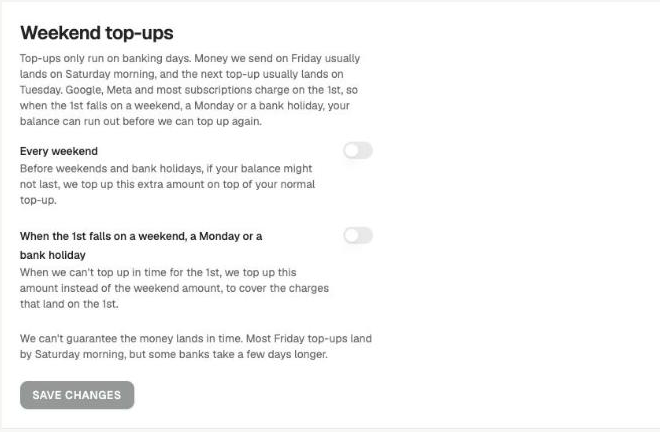
- Go to Settings and scroll to Weekend top-ups, just below Automatic top-ups.
- Turn on Every weekend and enter the extra amount you want before weekends and bank holidays.
- Optional: turn on When the 1st falls on a weekend, a Monday or a bank holiday and enter a bigger amount for those weekends. On those weekends, we send this amount instead of your weekend amount.
- Click Save changes and confirm.
How much to add
We suggest an amount based on your biggest weekend card spending in the last 4 weeks, minus your normal top-up. You can change it to any amount from 5,000 DKK.
When we send it
We only send the extra when your balance probably won't last the weekend. It comes from the same bank account as your normal top-up, in the same Friday top-up. For example, with a normal top-up of 25,000 DKK and a weekend amount of 10,000 DKK, we send 35,000 DKK that Friday.
Good to know
- Weekend top-ups are available to Danish companies with automatic top-ups. Only owners and admins can change them.
- We can't guarantee the money lands in time. Most Friday top-ups land by Saturday morning, but some banks take a few days longer.
- To stop, turn the switch off and save.